 Client
 Your team
FOR FREELANCERS & SOLO AGENCIES
Pro
$49/month
Billed monthly in USD
Start 14-day free trial- 2 team members
- Unlimited projects, feedback & client reporters
- Screenshot and video feedback
- Feedback collaboration
- Integrations, MCP connector & API access

VISUAL FEEDBACK FOR WEBSITES
Let clients click on your website, annotate a screenshot, or record their screen. Get visual feedback your team can act on, right inside the tools you already use.
No credit card required · All features during your trial


LESS GUESSWORK
Emails and chat messages leave your team piecing together what needs to change. A screenshot in one thread. A page link in another.
Feedbucket gives clients a way to show the exact spot, explain what’s wrong, and keep the conversation with the feedback.
SHOW IT ON THE PAGE
Choose the format that makes the change clear.
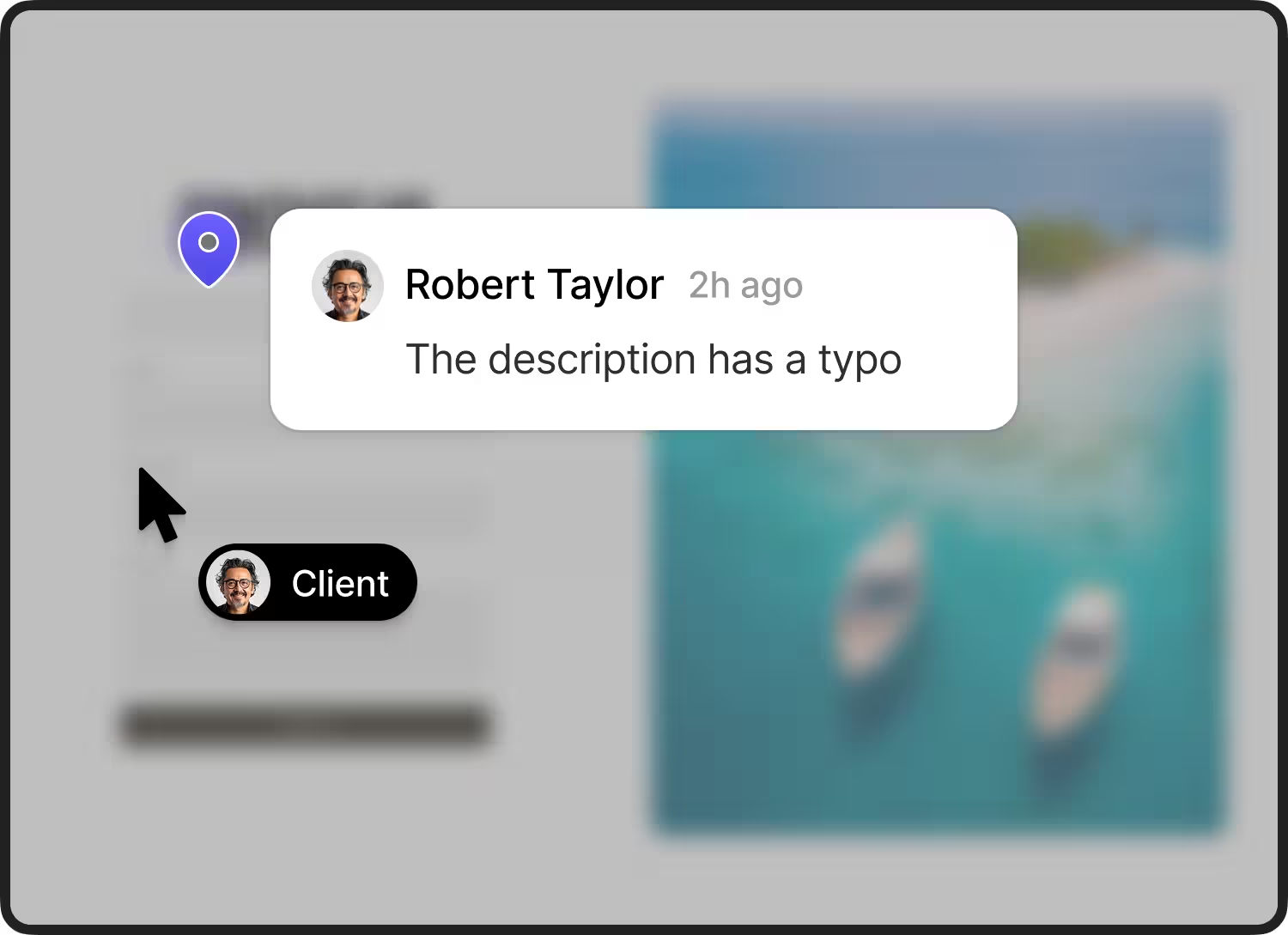
POINT TO THE EXACT SPOT
Clients can point to an element, add annotations, and leave a comment with visual context. Your team can see what the feedback refers to.
Try Feedbucket’s live demo ↗Opens the live demo on feedbucket.app.
Show the steps.
Explain what happens.
SHOW THE FULL SEQUENCE
When a still image isn’t enough, clients can record their screen to explain a bug, a confusing interaction, or a sequence of changes.
Try screen recording in the live demo ↗The preview does not access your camera or microphone.
MORE THAN A COMMENT
A visual shows what the client means. The details captured with it help your team understand where the issue happened.
CUSTOMER REVIEWS
Trusted by 500+ web design agencies.
“The non-technical client picked it up right away. They were able to provide simple to complex comments easily.”

“The best feedback tool we have used in our web design agency - ever. And we have tried them all.”

“Our team loves how neatly all client feedback is organized in our PM tool. Also how they can take action without leaving our PM tool.”

Read these customer testimonials on Feedbucket ↗
No credit card required · All features during your trial
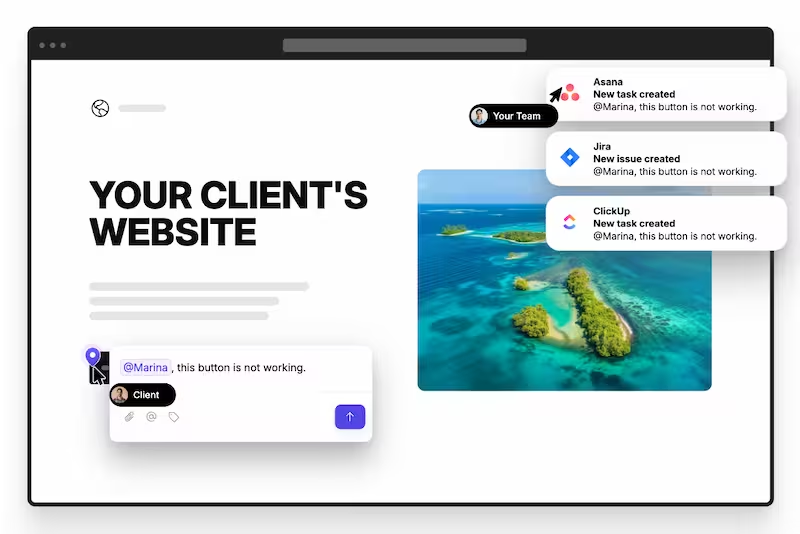
FROM FEEDBACK TO A CLEAR TASK
Connect Feedbucket with the project management tool your team already uses.
 Asana
Asana ClickUp
 Jira
Jira Trello
 Slack
Slack GitHub
 Linear
 Notion
15+ integrations, MCP, and REST API available.
YOUR FIRST PROJECT
Use your trial to test Feedbucket on a real staging site.
Start 14-day free trial ↗No credit card required.
Start a 14-day trial with access to all features.
Install the script on the staging site you want clients to review.
Connect your PM tool, or manage feedback in Feedbucket. Ask clients to review the site with screenshots or screen recordings.
TRY IT ON YOUR NEXT PROJECT
No credit card needed. Access all features during your trial.
FOR FREELANCERS & SOLO AGENCIES
$49/month
Billed monthly in USD
Start 14-day free trialFOR AGENCIES & GROWING TEAMS
$89/month
Billed monthly in USD
Start 14-day free trialA FEW THINGS YOU MIGHT ASK
It lets people show what they mean directly on a website. With Feedbucket, clients can add screenshot annotations or record their screen, giving your team visual context for a change or issue.
No. Once you install Feedbucket on the website, clients can leave feedback directly on the staging site without signing up or installing an extension.
Yes. Feedbucket supports screen recording feedback as well as screenshot feedback, so clients can show a sequence or interaction that a still image cannot explain.
No. Feedbucket connects to tools such as Asana, ClickUp, and Jira. Feedback becomes a task, and two-way sync lets your team reply or resolve feedback from its PM tool.
No. You can also manage feedback directly in Feedbucket.
The 14-day free trial includes all features, with no credit card required. You can try it on your own project before choosing a plan.
FEEDBACK WITH NO FUSS
Try visual feedback on your next website project.
Start 14-day free trial ↗No credit card required · All features during your trial